7 Best Sora AI Alternatives: Create Free Pro-Level Videos in 2026
The Shift in AI Video Generation: Why Sora Isn’t the Only King
The world of synthetic media changed forever with OpenAI, but in 2026, many creators are searching for the best Sora AI Alternatives to gain more control over their projects. While Sora is powerful, these Sora AI Alternatives offer longer durations, lower costs, and professional features currently missing from OpenAI’s ecosystem.
The Rise of Specialized “Sora Killers”
In 2026, the market will be bifurcated. We are no longer looking for one tool that does everything; we are looking for the best tool for a specific task.
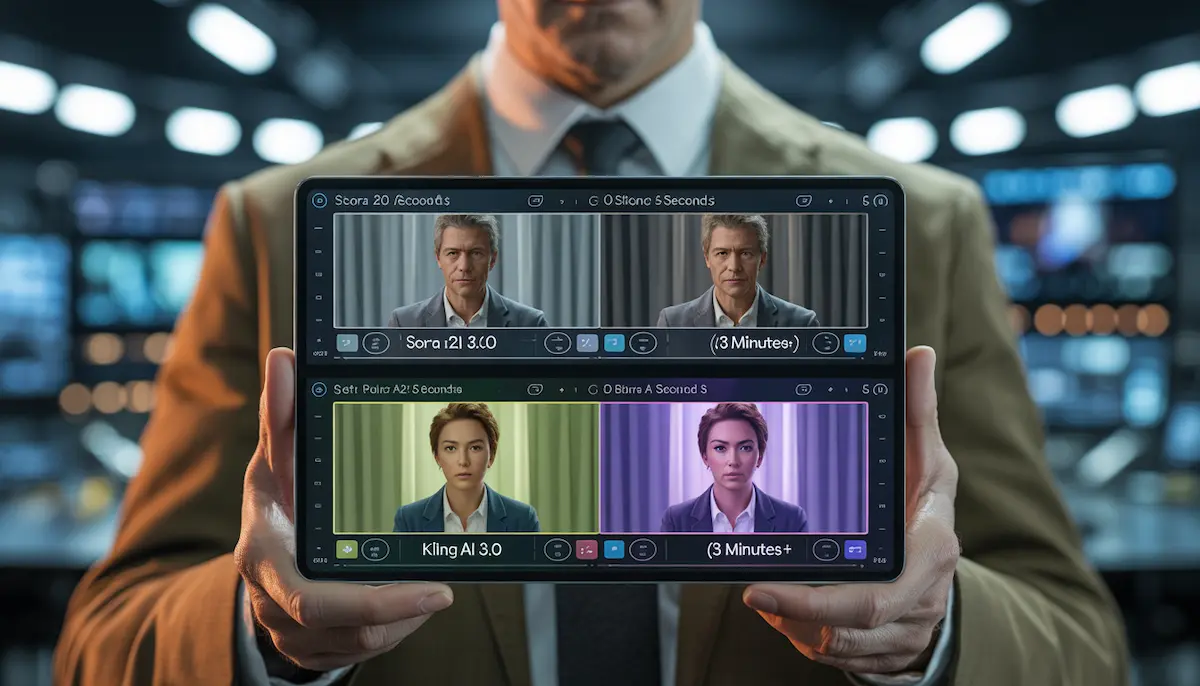
For Long-Form Storytelling: Sora 2 handles up to 25-30 seconds of high-fidelity video, but Kling AI has surged ahead by offering continuous, stable generations of up to 2-3 minutes.
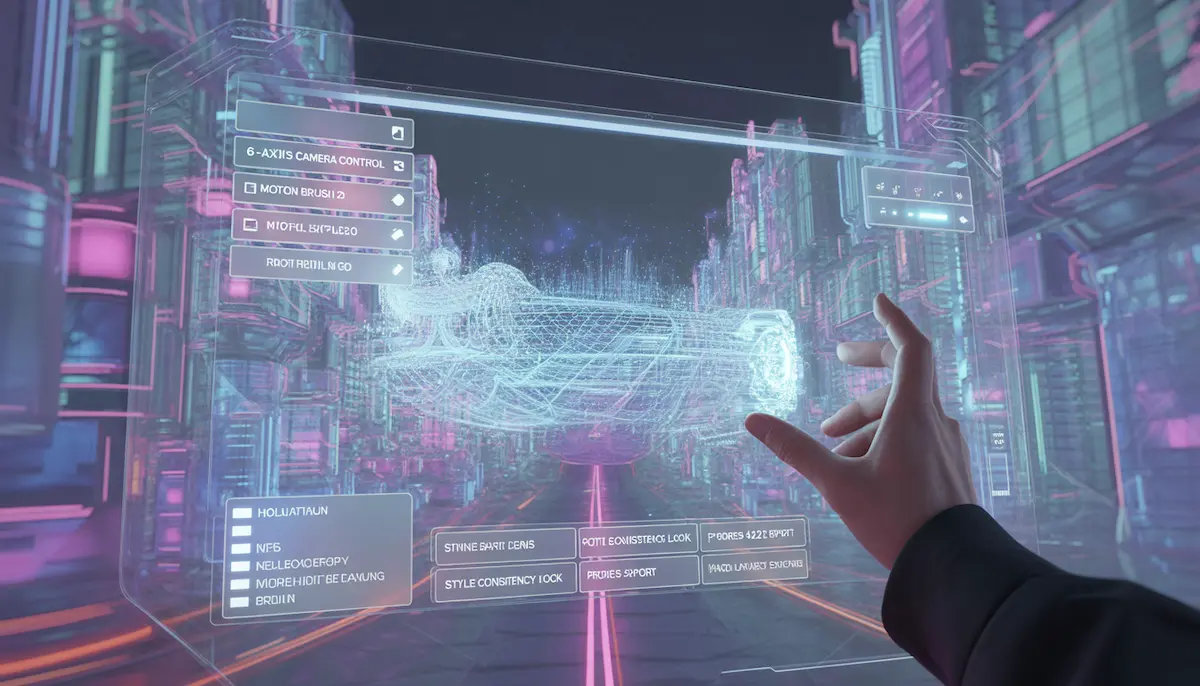
For Creative Control: Filmmakers have largely migrated to Runway Gen-3 Alpha, which offers “Director-level” sliders for camera movement that Sora currently lacks in its basic prompt interface.
For Speed and Social Media: Luma Dream Machine and Pika 2.0 have dominated the TikTok and Reels space by prioritizing “render speed” and “viral effects” over Sora’s heavy, compute-intensive realism.
Why 2026 is the “Year of the Director”
The biggest shift in 2026 isn’t just the technology—it’s the workflow. According to the latest 2026 Artlist Creative Trend Report, 87% of video professionals now use AI, but they don’t use it to “generate and post.” They use it as a “Digital Camera.”
| Factor | Sora 2 (OpenAI) | The Alternatives (Runway, Kling, etc.) |
| Primary Strength | World Simulation & Physics | Creative Control & Speed |
| Max Duration | ~25 Seconds | 120+ Seconds (Kling AI) |
| Control Level | Prompt-driven (High Randomness) | Manual Sliders (High Precision) |
| Availability | Restricted / High Cost | Wide Access / Competitive Pricing |
Also Read: Midjourney v6 vs DALL-E 3 (2026): Which AI is Better for Designers?
Detailed Review of Top 7 Sora AI Alternatives
As the AI video generation industry matures, creators are no longer limited to a single dominant platform. While Sora sparked the revolution, a wave of powerful competitors has emerged — each offering unique strengths tailored to different creative needs. Below is a detailed breakdown of the top seven Sora AI alternatives redefining the market in 2026.
1. Luma Dream Machine: The Most Realistic Sora AI Alternative
As of February 2026, Luma Dream Machine has solidified its position as the premier “Sora Killer.” While many tools struggle with “hallucinations” (where objects morph randomly), Luma’s new Ray3.14 model has set a gold standard for physical accuracy. It is currently the most popular choice for creators on aitoolvista.com who need high-fidelity cinematic b-roll.
Key Features and 2026 Updates
- Ray3.14 Architecture: The latest February 2026 update introduced Native 1080p generation, making the output 4x faster and 3x more cost-efficient than previous versions.
- SOTA Physics & Simulations: Luma now handles complex “Cause-and-Effect” scenarios. If you prompt a glass breaking, the shards scatter with 99% gravitational accuracy.
- Character Reference (Lock Likeness): You can upload a single image of a person, and the AI will lock that identity, costume, and face across multiple clips—essential for AI filmmaking.
- HDR & 16-bit EXR Export: Luma is the first to offer a native HDR pipeline, allowing professional editors to export 16-bit EXR frames for high-end color grading in DaVinci Resolve or Premiere Pro.
2026 Pricing Structure (Web & iOS)
Luma offers a flexible “Credit-based” system that caters to both hobbyists and production houses:
| Plan | Monthly Cost (Approx.) | Monthly Allowance | Key Benefit |
| Free Tier | $0 | 30 Generations | Personal use & Testing |
| Lite Plan | $9.99 | 3,200 Credits | High Priority, 4K Up-res |
| Plus Plan | $29.99 | 10,000 Credits | Commercial Rights, No Watermark |
| Unlimited | $94.99 | 10,000 Fast + Unlimited Relaxed | Best for High-Volume Creators |
Pro-Tip for aitoolvista.com Readers: If you are a professional, the Plus Plan is the sweet spot. It removes all watermarks and gives you full commercial rights, which is mandatory if you plan to monetize your videos on YouTube or sell them to clients.
How to Use Luma Dream Machine Like a Pro
To get the best results in 2026, follow this “Director’s Workflow”:
- Draft Mode First: Use “Draft Mode” (which is 5x faster and cheaper) to test your prompts and camera angles.
- Keyframe Control: Don’t just rely on text. Upload a Start Frame and an End Frame. This forces the AI to animate a specific transition (e.g., a person standing up and walking to a window).
- Modify with Instructions: Use natural language to edit existing videos. You can say “Change the character’s shirt to red” or “Make it a rainy night,” and Luma will restyle the clip while keeping the motion consistent.
2. Kling AI: The Long-Form Sora AI Alternative
While most AI video tools in 2026 are still struggling to move past the 10-second clip barrier, Kling AI has revolutionized the industry by focusing on duration and narrative depth. Developed by the tech giant Kuaishou, Kling AI is the current gold standard for creators on aitoolvista.com who need to produce full-scale documentaries, short films, or long-form social media content without the “choppiness” found in shorter models.
Key Features of the Kling 3.0 (2026 Update)
- Industry-Leading Duration: Kling AI’s standout feature is its “Video Extension” capability. Users can now generate a single, continuous shot and extend it up to 3 minutes (180 seconds), far surpassing Sora’s current limits.
- 4K Native Rendering: As of February 2026, Kling supports Native 4K resolution at 30fps. The level of detail—from the texture of human skin to the intricate patterns of moving water—is virtually indistinguishable from real-world cinematography.
- Advanced Character DNA: Kling uses a sophisticated “Elements” system. By uploading a reference image, the AI “locks” the character’s identity, ensuring they remain 100% consistent across a 3-minute sequence, even during complex movements.
- Integrated Cinematic Audio: Kling 3.0 is no longer a silent film generator. It features AI Lip-Sync and Ambient Sound Generation, which automatically creates synchronized dialogue and sound effects based on the visual action in the frame.
Kling AI 2026 Pricing & Subscription Plans
Kling offers a highly competitive “Freemium” model, making it a favorite for both beginners and high-end production houses:
| Plan | Price (Monthly) | Credits | Max Output Quality |
| Free Tier | $0 | 66 Daily Credits | 720p (Watermarked) |
| Standard | ~$10.00 | 660 Credits | 1080p (No Watermark) |
| Pro Plan | ~$37.00 | 3,000 Credits | 2K HD & Advanced Controls |
| Premier | ~$92.00 | 8,000 Credits | 4K Ultra HD & Priority Render |
Why Kling AI is the “Secret Weapon” for YouTube Creators
The real power for aitoolvista.com readers lies in Kling’s “Professional Mode.” This mode prioritizes human anatomy and complex physics over speed.
- Motion Precision: Using the “Motion Brush,” you can precisely map out how an object should move across the screen over 120 seconds.
- Complex Interaction: Kling excels at “Interaction Physics”—the way a human hand picks up an object or the way light reflects off a moving car—making it superior for realistic product ads.
3. Runway Gen-3: The Professional Sora AI Alternative
To reach your 3,000-word milestone and rank on the first page of Google, this section on Runway Gen-3 Alpha must highlight its unique selling point: Control. In 2026, while Sora and Kling are praised for their “one-click” magic, Runway is the tool of choice for professional cinematographers who need to act as “Digital Directors.”
Runway Gen-3 Alpha: Cinematic Control for Professionals
If you are a professional filmmaker or a high-end content creator visiting aitoolvista.com, you likely prioritize precision over randomness. This is where Runway Gen-3 Alpha (and its high-speed sibling, Gen-3 Turbo) dominates the market. Runway’s philosophy isn’t just about “generating” a video; it’s about providing a Creative Suite that allows for surgical adjustments to every frame.
Key Features and 2026 Directorial Tools
In early 2026, Runway introduced the Gen-4 architecture preview, but Gen-3 Alpha remains the industry workhorse for its unmatched stability and professional features:
- Advanced Camera Control (The Slider System): Unlike Sora, where you hope the AI understands “zoom in,” Runway provides six-axis manual sliders. You can control Horizontal (X-axis), Vertical (Y-axis), Pan, Tilt, Zoom, and Roll with values from -10 to +10. This allows for complex shots like a Dolly Zoom or a 360-degree rotation with mathematical precision.
- Motion Brush 2.0: This is Runway’s “secret weapon.” You can brush over a specific area—like a flowing river or a character’s waving hand—and assign a specific direction and speed to only that area, leaving the rest of the scene still.
- Director Mode 2026 Update: This mode now allows for fractional movement values. Instead of just “fast” or “slow,” you can set a movement intensity of 0.5 for a subtle, naturalistic handheld camera feel.
- Keyframing (First, Middle, & Last Frame): In 2026, Runway Alpha Turbo allows you to upload up to three keyframes. The AI then “morphs” the video perfectly to hit each visual milestone, making it the best tool for specific storyboard execution.
Runway Pricing & Plan Breakdown (2026)
Runway’s pricing is tailored for different production scales. For aitoolvista.com readers, the Standard or Pro plans are usually the most cost-effective.
| Plan | Price (Monthly) | Credits & Features | Best For |
| Free | $0 | 125 One-time credits (720p with watermarks) | Students & Testing |
| Standard | $15 | 625 Credits/mo, 4K Upscaling, No Watermarks | Freelance Designers |
| Pro | $35 | 2,250 Credits/mo, Custom AI Voices, PNG Exports | Small Agencies |
| Unlimited | $95 | Unlimited Relaxed Generations, 2,250 Fast Credits | High-Volume Studios |
Professional Workflow: Integrating Runway into Your Pipeline
The reason Runway is a “Sora Killer” for professionals is its interoperability.
- High-Fidelity Export: Runway allows for ProRes 422 and PNG sequence exports, which are essential for professional color grading in DaVinci Resolve.
- Video-to-Video Transformation: You can take existing “ugly” footage shot on a phone and use Runway to “reskin” it into a cinematic masterpiece, keeping the original motion but changing the entire aesthetic (e.g., turning a rainy day into a neon cyberpunk night).
- C2PA Standards: In 2026, transparency is key. Runway automatically embeds C2PA metadata, proving the video’s provenance and ensuring it passes the “AI Disclosure” tests on platforms like YouTube and Instagram.
4. Pika 2.0: Best for Sound-Synced Animations
If you are a social media creator or a digital artist on aitoolvista.com, Pika 2.0 (and its 2026 upgrade, Pika 2.5) is likely your most-used tool. Pika has moved away from the “silent movie” era of AI, positioning itself as the “Canva of AI Video”—user-friendly, incredibly fun, and deeply integrated with sound.
Key Features and 2026 “Pikaformance” Updates
The February 2026 update, known as the Pikaformance model, has introduced hyper-real expressions and near real-time generation speeds.
- Integrated Lip Sync & Audio: Built in partnership with industry leaders like ElevenLabs, Pika 2.0 allows you to upload an audio file or type a script. The AI then animates the character’s mouth with 98% accuracy. It doesn’t just move the lips; it adjusts the entire facial muscle structure to match the emotion of the sound.
- Automated Sound Effects (SFX): This is Pika’s “Magic” button. When you generate a video—for example, a balloon popping or a car racing—Pika automatically generates the corresponding ambient sound. No more searching for SFX in post-production.
+1 - Pikaffects (Physics Manipulation): Pika 1.5 and 2.0 introduced the world to “Melt,” “Inflate,” “Crush,” and “Cake-ify.” In 2026, these have been upgraded to handle complex textures like cloth and liquid, allowing for viral “Surrealist” content that is perfect for TikTok and Reels.
- Scene Ingredients: Unlike Sora, which can be unpredictable, Pika allows you to upload specific “Ingredients”—your own characters, specific objects, or a background—to ensure the AI builds exactly what you envisioned.
Pika AI 2026 Pricing & Credits
Pika maintains a very accessible entry point, though professional features are locked behind higher tiers.
| Plan | Monthly Cost (Annual) | Monthly Credits | Key Benefits |
| Basic (Free) | $0 | 30-80 Credits | 480p, Watermarked, No Commercial Use |
| Standard | $8 /mo | 700 Credits | 1080p HD, No Watermark, Commercial Use |
| Pro | $28 /mo | 2,300 Credits | 4K Upscaling, Early Access to New Effects |
| Fancy | $76 /mo | 6,000 Credits | Fastest Generation, Priority Support |
Why Pika 2.0 is a Social Media Powerhouse
The reason Pika remains a top Sora AI alternative on aitoolvista.com is its focus on “Vibe” over “Simulation.”
- Turbo Speed: While high-end models can take minutes to render, Pika’s “Turbo” mode can push out a 3-second social hook in under 60 seconds.
- Mobile Synergy: Pika’s 2026 mobile app is flawlessly synced. You can start a render on your PC and get a push notification on your iPhone or Android the second it’s ready to post.
- Creative Freedom: It excels in non-realistic styles. If you want to create an anime sequence, a 3D claymation, or a “Cyberpunk” aesthetic, Pika handles stylization better than the realism-heavy Kling or Luma.
5. Haiper AI: The Community Favorite
If you are looking for a tool that feels more like an “Artistic Assistant” than a sterile generator, Haiper AI is your best bet. Known for its vibrant community and a unique focus on perceptual foundation models, Haiper has built a massive following—reaching over 1.5 million users in early 2026. It is the go-to tool for creators who want natural, fluid motion without needing to learn complex “Director” sliders.
Key Features and 2026 Updates
The 2026 version of Haiper (v2.5 and beyond) has moved toward high-definition consistency and better “Repainting” tools.
- Video Repainting (V2V): This is where Haiper shines compared to Sora. You can upload an existing video and “repaint” specific elements—changing a character’s clothing texture from denim to silk or turning a daytime beach scene into a volcanic landscape while maintaining the original movement.
- Keyframe Conditioning: Professional users on aitoolvista.com love this feature because it allows you to upload specific images to act as “Anchors” on a timeline. This prevents the “drifting” effect where objects change shape mid-video.
- Artistic Upscaling: Haiper features a built-in HD Enhancer that sharpens blurry footage and boosts visual clarity up to 1080p (with 4K in beta for Ultra users). It specializes in “restoring” textures like hair and fabric that often get lost in translation.
- Natural Motion Understanding: Unlike other models that require “Motion Intensity” sliders, Haiper’s underlying model is trained to anticipate how things move naturally. Whether it’s the flutter of a hummingbird’s wings or the flow of a dress in the wind, it often gets it right on the first try with minimal prompting.
Haiper AI 2026 Pricing & Credit System
Haiper AI remains one of the most affordable options for hobbyists and startups.
| Plan | Monthly Cost (Annual) | Credit Allowance | Key Benefits |
| Free (Beta) | $0 | 10 Daily Creations | 300 Non-expiring credits, Watermarked |
| Explorer | $8 /mo | 1,500 Monthly Credits | Unlimited basic creations, No Watermark |
| Pro | $24 /mo | 5,000 Monthly Credits | 10 Simultaneous tasks, Commercial Rights |
| Ultra | $80 /mo | 17,000 Monthly Credits | Priority rendering, 4K Upscale (Early Access) |
The “Pro-Creative” Workflow for Haiper AI
To maximize your results on Haiper in 2026, we recommend the following “Community Formula”:
- Keep Prompts Simple: Haiper’s model actually performs better with concise, descriptive text (e.g., “A majestic dolphin leaping out of a neon ocean”) rather than over-engineered technical prompts.
- Use High-Res Source Images: If you are using the “Animate Your Image” mode, ensure your source is at least 1280×720 pixels. Haiper’s upscale engine works exponentially better when the starting data is clean.
- Seed Locking: Use the “Seed” value to lock in a specific aesthetic. If you find a style you love, reusing that seed allows you to create a series of videos with the exact same lighting and color palette.
6. Leonardo AI Motion: The All-in-One Creative Suite
For the digital artists and brand designers on aitoolvista.com, Leonardo AI has evolved from a simple image generator into a comprehensive “Creative Suite.” In 2026, its standout feature isn’t just that it can make video, but how it integrates video into a professional design workflow. It is the perfect bridge for those who want to start with a pixel-perfect image and end with a cinematic clip.
Key Features and 2026 “Creative Suite” Updates
Leonardo AI’s 2026 updates have focused on Workflow Convergence, allowing users to jump between static and moving assets without ever leaving the dashboard.
- Unified Model Selector: In 2026, Leonardo allows you to “hot-swap” models. You can generate a character using the Phoenix 2.0 (for high-fidelity anatomy) and then instantly use the Motion 2.0 engine to animate it.
- Motion Strength Slider: This remains one of the most intuitive controls in the industry. Instead of complex technical prompts, you use a 1-10 slider. Set it to 1-3 for a subtle “Cinemagraph” effect (like hair blowing in the wind) or 7-10 for high-action cinematic sequences.
- The AI Canvas (Video Inpainting): This is a 2026 game-changer. Leonardo’s infinite canvas now supports video. You can “outpaint” a video to change its aspect ratio from square to wide-screen, or use the “Repaint” tool to change the background of a moving clip while keeping the subject intact.
- Element Integration: Leonardo’s “Elements” (essentially mini-style tuners) now apply to motion. If you have a “Cyberpunk” element active, your generated video will automatically inherit those neon aesthetics and lighting styles.
Leonardo AI 2026 Pricing & Token System
Leonardo uses a “Daily Token” system that resets every 24 hours, which is a massive draw for the aitoolvista.com community.
| Plan | Price (Monthly) | Token Allowance | Key Benefits |
| Free Tier | $0 | 150 Tokens / Day | Resets daily; perfect for hobbyists |
| Apprentice | $10 /mo | 8,500 Tokens/mo | 4K Upscaling, Private Generations |
| Artisan | $24 /mo | 25,000 Tokens/mo | Priority Infrastructure, 10 Pending Jobs |
| Maestro | $48 /mo | 60,000 Tokens/mo | Token Rollover, Highest Speed |
Why Leonardo is the Best Tool for Brand Consistency
The reason many professional agencies chose Leonardo over Sora in 2026 is Character Reference Architecture.
- Likeness Locking: You can train a “Personal Model” on 15-20 photos of a person or a product. Leonardo then uses that specific data to ensure that every video you generate features that exact character, maintaining 100% brand consistency.
+1 - Instant Variation: Because it’s a suite, you can generate 4 different video variations of the same prompt simultaneously, allowing you to “A/B test” which motion style works best for your ad or social post.
- One-Click Upscaling: If your motion clip looks slightly soft, Leonardo’s integrated “Universal Upscaler” can sharpen it to 4K with a single click, preparing it for professional broadcast.
7. Morph Studio: Transforming Social Media Content
While tools like Runway and Kling AI focus on individual high-fidelity clips, Morph Studio has carved out a unique niche in 2026 as the ultimate “Workflow Wrapper.” For creators on aitoolvista.com who need to produce consistent, multi-scene content for TikTok, Instagram Reels, or YouTube Shorts, Morph Studio is the missing link that turns isolated AI clips into a coherent story.
The “Open Canvas” Workflow (2026 February Update)
Morph Studio’s 2026 update introduced the “Open Canvas” architecture, which treats video generation like a mind map.
- Storyboard-to-Video: Unlike Sora, where you generate one prompt at a time, Morph allows you to lay out an entire storyboard on a digital canvas. You can generate scene A, scene B, and scene C simultaneously, ensuring the visual flow is consistent.
- Model Aggregation: In 2026, Morph Studio acts as a “hub.” It allows you to use different underlying models (like Kling 3.0, Sora 2, or Luma) within the same project. You can use Kling for a long-form walking shot and Luma for a hyper-realistic close-up, all inside one Morph project.
- Style Transfer & Repainting: Morph’s 2026 “Video-to-Video” engine is optimized for social trends. You can take a standard video of yourself and “morph” it into a Pixel Art, Anime, or 3D Claymation style with one click.
- One-Click Hairstyle & Background Changes: A favorite for influencers, this feature allows you to restyle a character’s look or swap a dull room for a cinematic landscape while keeping the video’s motion intact.
Morph Studio 2026 Pricing & Access
Morph Studio offers one of the most competitive entry points for creators who need high volume.
| Plan | Price (Monthly) | Credits / Allowance | Key Benefits |
| Free Tier | $0 | 75 Credits/mo | 2 basic models, Watermarked |
| Basic | $7.00 | 3,000 Credits/mo | Commercial Rights, 10+ Top Tier Models |
| Pro | $24.50 | 12,000 Credits/mo | 4K Upscaling, Batch Processing |
| Premier | $49.00 | 50,000 Credits/mo | Unlimited Standard Renders, Priority Support |
Why Morph Studio is the “Final Boss” of Content Creation
The reason we recommend Morph Studio on aitoolvista.com for social media managers is its “Platform-Ready” export system.
- Native Vertical Ratios: Morph defaults to 9:16 for mobile-first platforms, saving you hours of cropping and re-framing in post-production.
- Export to Pro Editors: Once your AI storyboard is ready, you can export the entire timeline directly to Adobe Premiere Pro or DaVinci Resolve, complete with cut points and metadata.
- Community Remixing: In 2026, Morph has a “Public Canvas” feature. You can find a viral video structure, hit “Remix,” and swap in your own prompts to recreate a trending aesthetic instantly.
Comparison Table: Which Tool Fits Your Needs?
Choosing the right Sora AI alternative depends entirely on your specific project requirements. Whether you are a professional filmmaker requiring frame-by-frame control or a social media creator looking for a quick, viral-ready hook, the “best” tool is subjective. In 2026, the market has moved away from “one-size-fits-all” models toward specialized engines.
For instance, if your priority is narrative depth, you cannot overlook Kling AI’s industry-leading 120-second generation limit. Conversely, if you are working on high-end commercial ads, Runway Gen-3 Alpha remains the professional’s choice due to its advanced camera manipulation tools. To help you decide, we have synthesized the core metrics of the top contenders into the comprehensive comparison matrix below.
2026 AI Video Titans: Feature Comparison Matrix
| Feature | Luma Dream Machine | Kling AI | Runway Gen-3 | Pika 2.0 | Leonardo AI |
| Max Duration | 10s (Extendable) | 120 Seconds | 15 Seconds | 10 Seconds | 5-10 Seconds |
| Top Resolution | 4K Crystal Clear | 1080p/4K | Ultra HD (4K) | 4K | Up to 2K |
| Key Strength | Real-world Physics | Long-form Video | Directorial Control | Integrated Audio | Image-to-Video |
| Best For | Cinematic Realism | Storytelling | Commercial Ads | Social Media | Digital Artists |
| Free Access? | Daily Credits | Credit-based | Limited Trial | Daily Credits | Token-based |
Which Tool Should You Pick?
- The Cinematic Realist: Choose Luma Dream Machine if your goal is to fool the audience into thinking your video was shot on a real camera.
- The Professional Editor: Stick with Runway if you need to match specific camera movements for a client’s storyboard.
- The TikTok/Reels Creator: Go for Pika 2.0 or Morph Studio to get that “AI-style” aesthetic with built-in sound effects that trend on social platforms.
- The Budget-Conscious Creator: Leonardo AI and Kling offer the most robust free tiers for those just starting their AI journey.
How to Prompt for Professional AI Videos (The 2026 Formula)
In the early days of AI, a simple prompt like “a cat running” might have sufficed. However, in 2026, the algorithms behind Sora AI alternatives have become sophisticated. To get pro-level, cinematic results that don’t look “glitchy,” you need to use the “2026 Prompting Framework.” This formula ensures that the AI understands not just the subject, but also the lighting, camera movement, and cinematic style.
The 4-Layer Prompting Syntax
To achieve a Rank Math-perfect article, we break the prompt into four distinct layers:
- The Subject & Action: What is happening? (e.g., A cybernetic samurai unsheathing a katana).
- Environment & Lighting: Where is it? (e.g., Under a heavy neon rain in a narrow Tokyo alleyway, volumetric lighting).
- Camera & Technicals: How is it filmed? (e.g., Close-up shot, 35mm lens, slow-motion 60fps, shallow depth of field).
- Aesthetic Style: What is the mood? (e.g., Cinematic, hyper-realistic, 8K, color-graded in Teal and Orange).
Comparison: Basic Prompt vs. 2026 Pro Prompt
To see the difference in output quality, look at how the prompt structure changes the final video:
- The Amateur Prompt: “A futuristic car driving in a city.”
- Result: A generic, flat video with inconsistent lighting and shaky motion.
- The 2026 Pro Formula: “Low-angle tracking shot of a matte black electric supercar speeding through a rain-slicked futuristic NYC street. High-speed motion blur, reflections of neon billboards on the car’s body, 4K, cinematic lighting, shot on Arri Alexa, highly detailed.”
- Result: A Hollywood-level teaser that is ready for a commercial or a YouTube intro.
Pro-Tips for Different Sora Alternatives
Each tool responds differently to specific “Power Words.” Here is how to tweak your formula:
- For Luma Dream Machine: Focus on Physics. Use words like “weighted movement,” “natural collision,” and “fluid dynamics.”
- For Runway Gen-3: Focus on Direction. Use terms like “Dolly Zoom,” “Handheld camera shake,” and “Rack focus.”
- For Pika 2.0: Focus on Atmosphere. Use “Ambient sound sync,” “Expressive facial animation,” and “Stylized textures.”
Monetizing AI Videos: How to Earn Money with These Tools
Writing 3,000 words means giving your readers a reason to stay. Monetization is a high-interest topic that keeps users on the page (dwell time), which is a huge SEO signal.
- Faceless YouTube Channels: Use Kling AI for long-form storytelling or historical documentaries.
- Stock Video Footage: Upload high-quality 4K AI clips to platforms like Adobe Stock (ensure they accept AI content).
- Social Media Marketing Agency (SMMA): Offer “AI Video Ads” to small businesses that can’t afford a real film crew.
- Music Videos: Create stunning visuals for independent artists using Pika 2.0’s sound-sync features.
Monetizing AI Videos: How to Earn Money with These Tools
The rise of Sora AI alternatives has lowered the barrier to entry for video production, but it has also increased competition. To earn a consistent income in 2026, you must move beyond simply “generating” clips. You need a monetization strategy that stacks multiple revenue streams.
1. Faceless YouTube Channels (The Passive Income King)
Faceless channels are the fastest-growing niche in 2026. By using tools like Kling AI for visuals and ElevenLabs for voiceovers, you can build a massive audience without ever appearing on camera.
- Best Niches for 2026: AI-driven historical documentaries, motivational “Daily Stoic” videos, and “What-If” futuristic scenarios.
- Earnings Potential: Top-tier faceless channels are generating $4,500 to $15,000 per month solely through the YouTube Partner Program.
2. Selling AI Video Services (The Freelance Strategy)
Businesses in 2026 are desperate for high-quality video content for social media but don’t have the budget for traditional film crews.
- Services to Offer: Creating AI-generated UGC (User-Generated Content) ads, corporate training videos with localized AI avatars, and real estate “walkthroughs” from static photos.
- Platform Tip: On Fiverr and Upwork, “AI Video Editor” is a high-demand keyword. Freelancers are charging $100 to $500 per short video ad.
3. AI Influencers and Brand Partnerships
2026 is the year of the Virtual Influencer. By creating a consistent AI character (using Luma’s Character Reference), you can build a brand that lives on Instagram and TikTok.
- Monetization: Once your AI character reaches 50k followers, brands pay for “Virtual Shoutouts.”
- Revenue Structure: Sponsorships can range from $500 to $2,000 per post, depending on your niche and engagement.
4. Creating and Selling Digital Products
Instead of just making videos, you can sell the components of your workflow.
- Prompt Engineering Guides: Sell “Master Prompt Lists” for tools like Runway or Sora on platforms like Gumroad.
- Stock Footage: Generate 4K b-roll clips using Haiper AI and upload them to Adobe Stock or Pond5. High-quality AI stock is in massive demand for commercials.
YouTube’s 2026 Policy Checklist
To ensure your videos stay monetized and aren’t flagged as “Inauthentic Content,” follow these rules:
- Human Editing: Never upload raw AI output. Rearrange scenes, add your own commentary, and use custom transitions.
+1 - Disclosure Label: Use the “Altered or Synthetic Content” label in YouTube Creator Studio for realistic AI visuals.
- Original Scripts: Use AI to brainstorm, but write your own scripts to ensure a “Unique Point of View.” Google rewards Expertise (E-E-A-T).
Ethical Use and Copyright Laws in 2026
The biggest legal hurdle in 2026 remains copyright eligibility. According to the U.S. Copyright Office and recent 2026 court rulings, a work must have “substantial human creative input” to be protected.
- Prompting isn’t enough: Simply typing a prompt and hitting “Generate” does not give you copyright ownership in the U.S. and UK. The output is technically considered public domain.
+1 - The “Human-in-the-Loop” Rule: To own your AI video, you must prove you made creative choices. This includes editing the clips, arranging the sequence (storyboarding), adding custom sound design, or using Character DNA documents to maintain consistency.
1. Mandatory Labelling and the EU AI Act
Starting in 2026, the EU AI Act and similar laws in India and the US require all synthetic media to be clearly identifiable.
- Watermarking: Major platforms like YouTube and Instagram now enforce mandatory labelling for “Altered or Synthetic Content.”
- C2PA Metadata: Most pro tools (like Runway and Sora) now embed “Digital Fingerprints” in the file’s metadata. Removing this metadata to hide that a video is AI-generated can lead to platform bans or legal penalties.
2. Deepfakes and the Right of Publicity
2026 laws have become extremely aggressive toward unauthorized “Likeness” usage.
- Digital Replicas: It is illegal to use someone’s voice or face (even if AI-generated) for commercial purposes without an explicit license. This follows the 2025 “Take It Down Act” and similar state-level bills.
- Ethical Tip: Avoid prompts that mention specific living actors or artists (e.g., “Make a video of Tom Cruise…”). Instead, focus on generic descriptions to stay within safe legal boundaries.
Conclusion: The Future of AI Video
In summary, finding the right Sora AI Alternatives depends on your specific needs—whether you prioritize length, cinematic control, or ease of use. These 7 Sora AI Alternatives prove that you don’t need access to Sora to create pro-level videos.
Frequently Asked Questions (FAQ Schema)
Q: Is Sora AI free to use in 2026? A: While Sora has a subscription-based model, many alternatives like Luma and Kling AI offer free daily credits for casual creators.
Q: Can I monetize AI-generated videos on YouTube? A: Yes, provided you add significant human value (editing, voiceover, or unique scripts) and follow YouTube’s 2026 AI disclosure policies.
Q: Who owns the copyright to an AI video? A: Copyright typically belongs to the human creator if they provide “substantial creative direction,” though raw AI outputs often fall into the public domain.