7 Best Free AI Tools for Beginners in 2026 (That Actually Save Time)
Artificial intelligence (AI) is no longer a futuristic concept; it has become a core part of how we work, create, and earn in 2026. From simplifying daily tasks to producing professional-quality content, AI tools are transforming the way beginners approach productivity and creativity. Whether you are a student trying to complete assignments faster, a freelancer aiming to deliver high-quality content to clients, or a small business owner looking to scale operations efficiently, AI has something for everyone.
For beginners, one of the biggest challenges is time management. Many tasks that traditionally took hours, such as creating presentations, designing graphics, automating repetitive workflows, or building websites, can now be completed in minutes with the right AI tools. This shift is not just about speed—it is about empowering users to focus on ideas, innovation, and strategy rather than tedious manual work. Imagine being able to generate a fully structured presentation from a research article in a matter of minutes or automate multiple social media posts in one go. These are the kinds of tasks that AI tools are making incredibly easy and accessible.
Another significant advantage of AI tools in 2026 is accessibility. You no longer need advanced technical skills to leverage AI. Many tools are designed for beginners, with intuitive interfaces, step-by-step guidance, and free versions that allow experimentation without financial commitment. For example, free AI-powered tools can help you convert documents into presentations, generate realistic images for your projects, automate routine workflows, or even create AI avatar videos for content marketing. These features enable beginners to explore AI without feeling overwhelmed, while still producing results that look professional and polished.
Furthermore, AI tools are opening earning opportunities. Even if you are starting, you can use these free tools to create content, manage small business tasks, offer design or automation services, and more. By learning how to use AI effectively, beginners can save money, increase productivity, and potentially generate income, all while developing valuable skills for the digital future.
In this article, we will explore 7 free AI tools that are not only beginner-friendly but also highly practical and powerful. These tools cover everything from website creation and presentations to voice-to-text, automation, image generation, and AI avatar videos. By the end of this guide, you’ll have a clear understanding of how to use each tool, maximize its benefits, and even start applying them in real-life projects to save time and potentially earn money.
Also Read: 2 Free AI PPT Generator Tools That Save Hours of Presentation Work
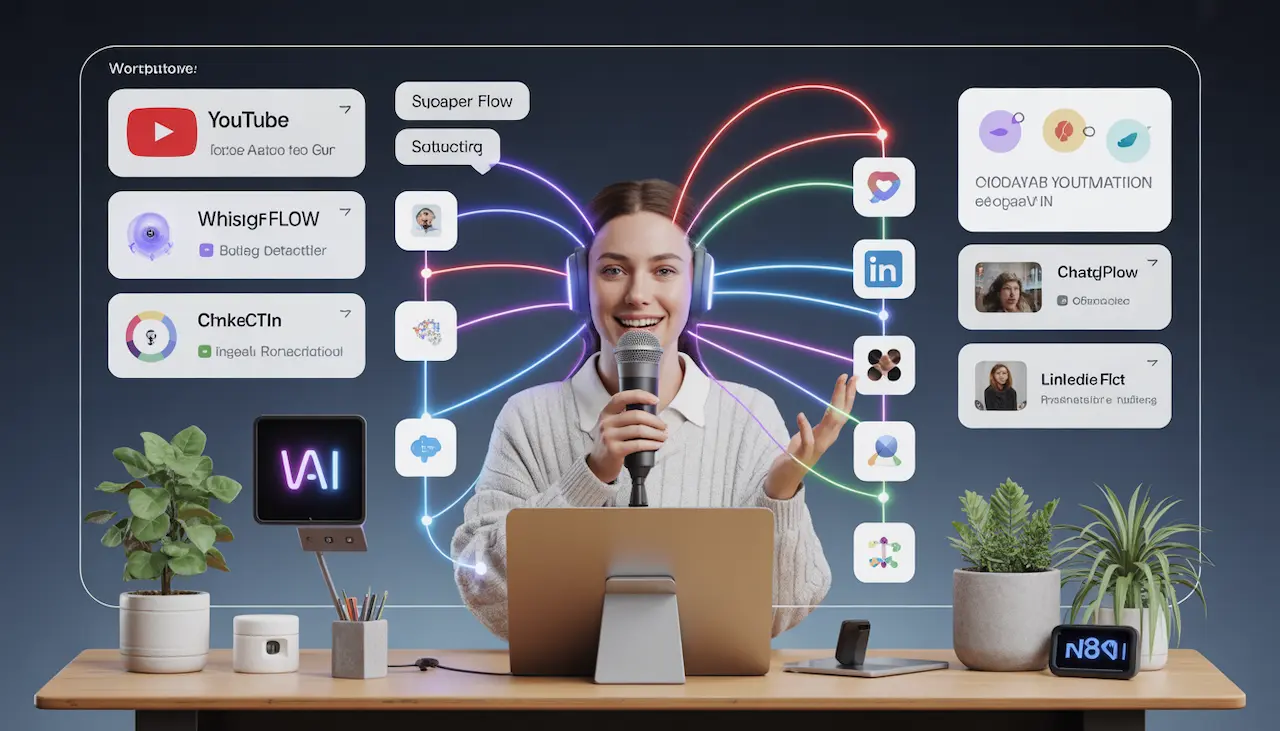
Why Free AI Tools Are Important for Beginners
Starting with AI can feel overwhelming, especially for beginners. There are hundreds of AI tools available today, each promising to simplify tasks, save time, or help you earn money online. Many of these tools are paid, and the cost can be intimidating for someone just getting started. This is where free AI tools become a game-changer. They allow beginners to experiment, learn, and achieve meaningful results without financial risk.
One of the biggest advantages of free AI tools is that they give you the freedom to experiment without spending money. As a beginner, you might not know which tool best suits your needs. Free tools let you explore their features, test different workflows, and figure out what works for you. You can make mistakes, try new ideas, and learn the basics of AI without worrying about wasting money on a subscription. This hands-on experience is invaluable for building confidence and understanding how AI can actually help you.
Another major benefit is that free tools allow you to learn the fundamentals of AI applications. Many beginners are curious about how AI works but find the technical concepts intimidating. By using free AI tools, you can see AI in action—whether it’s generating presentations, converting speech to text, automating repetitive tasks, or creating realistic images. This practical exposure helps you develop skills that can be applied in real-life projects, and it forms a strong foundation for moving on to more advanced or paid AI tools in the future.
Free AI tools also save time and increase productivity. Tasks that normally take hours—like designing slides, creating graphics, managing social media content, or generating reports—can be completed in minutes. This allows beginners to focus on creativity and strategy rather than tedious manual work. By automating repetitive processes, free AI tools help you work smarter, not harder.
Finally, free AI tools open the door to earning opportunities. Even as a beginner, you can use these tools to provide services such as content creation, presentation design, image generation, and workflow automation. Students, freelancers, and small business owners can start small, offer real value, and potentially earn money while learning.
In short, free AI tools are perfect for beginners because they provide a low-risk environment to learn, experiment, and grow. They save time, teach essential skills, and even help you earn money—all without any upfront investment. In 2026, these tools are not just optional—they are essential for anyone looking to succeed in the digital age.
1. AI Tool for Website Creation: Antigravity AI
Creating a professional website has traditionally been a challenging and time-consuming task. For beginners, especially those without coding experience, it often requires learning HTML, CSS, and JavaScript, or paying for expensive website builders. In 2026, AI tools have completely changed this landscape, and one of the most exciting options is Antigravity AI. This tool allows you to build fully functional websites in just 3–4 hours without writing a single line of code, thanks to a technology called vibe coding.
What Is Antigravity AI?
Antigravity AI is essentially a website-building AI assistant developed by Google. It is designed to help beginners, freelancers, students, and small business owners create professional-grade websites with minimal effort. Unlike traditional website builders that require manual drag-and-drop, coding, or hiring expensive developers, Antigravity AI takes your instructions and builds the website automatically.
The concept behind Antigravity AI is simple but powerful. You tell it what kind of website you want—for example, a job portal, portfolio, or e-commerce store—and the AI takes care of the design, structure, and content layout. This is achieved using vibe coding, a system where the AI interprets your instructions as high-level coding commands and generates the entire website for you.
How Antigravity AI Works
The process of creating a website with Antigravity AI is straightforward and beginner-friendly:
Install Antigravity on Your PC
First, download and install the Antigravity AI software. It runs locally on your computer, ensuring your data remains private and secure. The installation process is simple, with step-by-step instructions suitable even for someone who has never installed software before.Open the Chat Interface
Once installed, Antigravity provides a chat-based interface. This is where you communicate directly with the AI. You type instructions in natural language, just like talking to a human assistant.Give Instructions
For example, you can type:
“Create a job portal website with sections for job listings, company preparation guides, and DSA resources.”
The AI understands your requirements and starts generating the website automatically.Review and Customize
After the website is generated, you can review the layout, make minor adjustments, and add any additional content you want. The AI provides options to tweak colors, fonts, and sections without needing any coding knowledge.
Additional Benefits of Antigravity AI
Antigravity AI isn’t just about speed—it also offers several extra benefits that make it stand out from other free and paid website builders:
- Gemini Pro Access for Free
If you have a Jio SIM card, you gain access to Gemini Pro, which enhances the AI’s capabilities. This allows you to create even more complex and professional websites without any additional cost. - Hosting Guidance
Antigravity AI helps beginners understand how to make their websites accessible online. You can easily host your site on platforms like GitHub or Vercel, making it live for clients, employers, or your audience. - Cost Savings
Traditional vibe coding platforms can charge anywhere from $20 to $50 for a single project. Antigravity AI provides free access for basic and intermediate-level websites, making it an ideal choice for students and freelancers who are just starting. - Time-Saving
Instead of spending days designing and coding, you can create a functional website in a few hours, freeing up your time to focus on content creation, marketing, or business strategy.
Who Can Benefit from Antigravity AI?
Antigravity AI is perfect for beginners and anyone looking to create websites efficiently:
- Students can build portfolio websites for projects or internships without needing coding skills.
- Freelancers can create websites for clients quickly, offering professional results without hiring a developer.
- Small Business Owners can set up product catalogs, landing pages, or blogs without spending extra money.
- Content Creators can host blogs, courses, or YouTube-related content online easily.
Even people with zero technical knowledge can follow the instructions and end up with a fully functional, professional-looking website.
Why Antigravity AI Is a Game-Changer
No Coding Knowledge Required
Beginners no longer need to learn complex programming languages. Natural language instructions are enough to generate a complete website.Rapid Prototyping
You can test different ideas quickly, making it easier to experiment with multiple website concepts before finalizing one.Cost-Effective Learning Tool
Because it’s free and beginner-friendly, Antigravity AI also serves as a learning platform. Users can understand website structures, design principles, and content organization without spending money.Scalable for Future Use
Websites built with Antigravity AI can be upgraded or customized over time. As your skills improve, you can refine the design or add advanced features without starting from scratch.
2. AI Tool for Presentations: Kimi + Gemini
Creating professional presentations has always been a time-consuming task. Whether you are a student, teacher, freelancer, or business owner, designing slides manually can take hours, and sometimes even days, especially if you aim for high-quality visuals and structured content. In 2026, AI-powered presentation tools like Kimi AI and Gemini Canvas have revolutionized this process. These tools allow anyone to turn documents, notes, or articles into fully professional presentations in just a few minutes.
Kimi AI: Instant Slide Creation from Documents
Kimi AI is a powerful AI tool designed to generate structured presentations quickly. The concept is simple: upload your document, provide a short instruction, and let the AI handle the rest.
How Kimi AI Works
Upload a Document
You can upload a PDF, article, research report, or notes. For example, students can upload assignment research, teachers can upload lecture notes, and freelancers can upload client content.Give a Simple Prompt
You instruct the AI with something like:
“Convert this PDF into an engaging, professional presentation.”AI Generates Slides
Within seconds, Kimi AI produces slides that are logically structured. Most presentations include:
- Introduction – A concise opening summarizing the content
- Main Points – Organized, easy-to-follow bullet points
- Explanations – Clear elaborations for each topic
- Conclusion – A summary to reinforce key takeaways
This process saves tremendous time compared to manual creation. A presentation that might take 1–2 hours to create can now be ready in minutes, allowing you to focus on delivery rather than design.
Benefits of Kimi AI
- Fast and Efficient – Eliminates hours of manual slide creation
- Professional Structure – Slides are logically organized for easy understanding
- Beginner-Friendly – No prior presentation or design experience needed
- Free Access – The free trial offers enough features for beginners to create high-quality presentations
Gemini Canvas: Google’s Smart Presentation Assistant
Gemini Canvas is part of Google’s AI ecosystem. Unlike Kimi, which primarily focuses on PDF-to-slide conversion, Gemini Canvas offers a flexible AI workspace where you can write, edit, and transform content into different formats, including presentations.
How to Use Gemini Canvas
Open Gemini Canvas
This is a workspace where you can input your content and communicate with the AI.Upload Documents or Text
You can paste an article, report, or notes directly into the workspace.Use a Clear Prompt
For example:
“Turn this content into a professional, attention-grabbing presentation.”AI Generates Slides
Gemini Canvas quickly organizes your content into well-structured slides, complete with headings, bullet points, and suggested visuals. You can also tweak the AI-generated slides to add personal touches or additional data.
Benefits of Gemini Canvas
- Fast Slide Creation – Transforms large amounts of text into slides in minutes.
- Creative Freedom – Offers flexibility to adjust and enhance slides
- Attention-Grabbing Layouts – Generates visually appealing presentations automatically
- Suitable for Multiple Users – Students, teachers, freelancers, and business owners can all benefit
Practical Use Cases
These AI presentation tools are versatile and can be used in multiple scenarios:
- Students – Convert research notes or assignments into professional presentations quickly
- Teachers – Prepare lecture slides or class presentations efficiently
- Freelancers – Offer professional presentation services to clients
- Business Owners – Generate pitch decks, project reports, or marketing presentations without hiring a designer
By using these tools, users can produce high-quality presentations consistently, without the stress of design, formatting, or structuring.
Tips for Creating Better AI Presentations
Even though Kimi AI and Gemini Canvas are powerful, the results depend on how you use them:
Write Clear Prompts – Detailed instructions yield better results.
Example: “Create a professional presentation about digital marketing trends with statistics and examples.”
Provide Structured Content – Upload well-organized notes or documents for best results.
Edit the Final Slides – Always review the AI-generated slides and make adjustments as needed.
Incorporate Visuals – While AI provides layouts, adding images, charts, and graphics enhances engagement.
Are Free AI Presentation Tools Enough?
Many beginners worry that free AI tools might not be powerful. The truth is, for most use cases, the free versions of Kimi and Gemini Canvas are more than sufficient. They allow beginners to generate professional slides, learn the workflow, and complete projects efficiently. Premium versions offer extras like advanced templates, export options, and collaboration features, but for starters, free tools are ideal.
3. AI Tool for Voice to Text: Whisper Flow
In today’s fast-paced world, typing everything manually can be time-consuming and exhausting. Imagine if you could speak naturally and have your words instantly converted into text, structured notes, or actionable prompts. That’s exactly what Whisper Flow does. This AI tool is designed to boost productivity by capturing human-like conversations accurately and handling complex instructions just like a human assistant would.
Whisper Flow is perfect for students, freelancers, professionals, and business owners who want to save time, reduce errors, and streamline repetitive tasks.
How Whisper Flow Works
Whisper Flow works by using advanced speech recognition and AI language models to understand and transcribe your spoken words. Unlike standard voice-to-text tools, it doesn’t just convert speech to plain text—it also captures the context, intent, and corrections you make along the way.
Step 1: Install and Set Up
- Install Whisper Flow on your PC
- Open the app to access a simple interface where you can start speaking
Step 2: Speak Naturally
You can talk as you normally would. Whisper Flow understands natural speech patterns, pauses, and corrections.
Example:
“Schedule a meeting for 5 PM… wait, cancel that… schedule it at 9 PM in Bandra.”
The tool interprets your commands exactly as intended, updating the text accordingly. You don’t have to repeat yourself or manually fix mistakes.
Step 3: Generate Structured Text
Whisper Flow doesn’t just provide raw transcripts. It can organize your words into structured formats, like:
- Task lists
- Instructions
- Prompts for other AI tools
- Notes for personal or professional use
This makes it incredibly useful for anyone who wants accuracy, speed, and efficiency without spending time typing or editing.
Key Benefits of Whisper Flow
Human-Like Accuracy
Whisper Flow understands the way humans speak, including pauses, corrections, and context changes. Unlike basic dictation software, it doesn’t misinterpret instructions or ignore nuances.Time-Saving Productivity Tool
Instead of typing long instructions, lecture notes, or meeting summaries, you can simply speak and let Whisper Flow do the work. This saves hours of typing every week.Ideal for Creating AI Prompts
Many AI workflows rely on well-structured prompts. Whisper Flow allows you to dictate detailed instructions, which you can then use directly in AI tools like ChatGPT, Kimi AI, or Gemini Canvas.Free Tokens for Beginners
Beginners can try Whisper Flow without paying. Free tokens allow users to explore the AI, test commands, and see results before committing to premium versions.
Practical Use Cases
Whisper Flow is more than just a voice-to-text tool—it’s a productivity powerhouse. Here’s how different users can benefit:
- Students: Record lectures, convert them into structured notes, or create study guides without typing
- Professionals: Dictate emails, meeting agendas, or project instructions in seconds
- Freelancers: Turn client meetings into actionable to-do lists or AI prompts for content creation
- Business Owners: Quickly document processes, update team instructions, or generate reports
For example, if you are building a website using Antigravity AI, you can dictate the structure of your site—sections, pages, content ideas—and Whisper Flow will convert it into a ready-to-use prompt for the AI assistant.
Tips for Using Whisper Flow Effectively
Speak Clearly and Naturally
Whisper Flow is designed to capture natural speech, so don’t worry about speaking perfectly. Just focus on clarity.Use Pauses for Complex Instructions
Pausing briefly allows the AI to distinguish between different sections of your speech.Combine with Other AI Tools
Dictate prompts for Kimi AI, Gemini Canvas, or n8n automation workflows. Whisper Flow ensures that your instructions are structured and easy to use across platforms.Review and Edit if Needed
While Whisper Flow is highly accurate, always review your text before using it in professional or public settings.
Why Beginners Should Use Whisper Flow
Many beginners hesitate to dive into AI tools because they think creating content is too complex or time-consuming. Whisper Flow removes this barrier. By turning speech into structured text instantly, beginners can:
- Save hours on manual typing
- Improve the accuracy of AI prompts
- Focus on creativity and strategy instead of repetitive work
- Start creating content, presentations, or workflows faster
In essence, Whisper Flow is a bridge between human ideas and AI execution, making it perfect for anyone new to AI in 2026.
4. AI Automation Tool: n8n
In the modern digital world, most of us use multiple apps to manage our work—YouTube, ChatGPT, image generators, social media platforms, email, and more. Switching between these apps, copying data manually, and performing repetitive tasks can be exhausting and time-consuming.
This is where n8n, a powerful AI automation tool, comes in. It allows you to connect multiple apps together and automate workflows so that repetitive tasks are handled automatically. For beginners, content creators, freelancers, and business owners, n8n can save hours of work every day, letting you focus on creativity, strategy, and growth instead of manual operations.
What is n8n?
n8n is an open-source automation platform that connects different applications and services into a single, automated workflow. Think of it as a digital assistant that runs your tasks 24/7 without any supervision.
Unlike traditional automation tools that can be rigid and expensive, n8n is flexible, beginner-friendly, and free to start with. You can automate small tasks or complex workflows, depending on your needs.
How n8n Works
Using n8n is straightforward, even for beginners. Here’s a step-by-step explanation:
Step 1: Connect Your Apps
n8n allows you to integrate multiple platforms, such as:
- YouTube – For downloading podcasts or videos
- ChatGPT – For text generation or content summarization
- Image Generators – For creating visuals or thumbnails
- LinkedIn, Twitter, or Instagram – For posting content automatically
You can link these apps with simple authentication, and n8n securely manages the connections.
Step 2: Build a Workflow
A workflow is essentially a sequence of tasks that run automatically. For example, if you want to convert a YouTube podcast into LinkedIn posts:
n8n fetches the podcast audio from YouTube
It converts the audio into text using speech-to-text tools.
ChatGPT processes the text and generates short, engaging LinkedIn posts.
n8n posts these updates automatically on your LinkedIn profile
This entire workflow runs without manual intervention, saving you hours of work.
Step 3: Set Triggers
n8n lets you schedule workflows or trigger them automatically. For example:
- Trigger every time a new YouTube video is uploaded
- Run a workflow every morning to prepare content for social media
- Automatically check for new emails and organize data
This ensures your workflow is always up to date and never misses a task.
Key Benefits of Using n8n
Save Time and Reduce Manual Work
Instead of copying content from one platform to another, n8n handles everything automatically. This allows you to focus on strategy and creativity, rather than repetitive operations.Flexibility for Beginners and Experts
Beginners can start with simple workflows, like scheduling posts or automating reports. Advanced users can create complex, multi-step workflows with conditional logic, loops, and integrations across multiple apps.Cost-Effective
n8n is open-source, which means you can use it for free. Even paid plans are cheaper than hiring assistants or paying for multiple automation tools.Boost Productivity for Content Creators
Content creators can turn hours of manual work into automated processes. For instance, generating 10 LinkedIn posts from one 3-hour podcast becomes effortless, freeing up time to create more content or engage with the audience.Consistency and Accuracy
Automation reduces human errors. The workflow runs the same way every time, ensuring consistent content quality and reliable execution.
Practical Use Cases
n8n is not limited to content creation. Here are a few ways you can use it:
- Freelancers: Automate client deliverables, report generation, or social media updates
- Small Business Owners: Automatically track inventory, send marketing emails, or manage customer inquiries
- Bloggers and Digital Marketers: Convert long videos or podcasts into multiple social media posts
- Teams and Agencies: Share automated workflows across team members to improve efficiency
For example, a content creator could use n8n to:
Pull a video from YouTube.
Convert it to text
Generate summary posts with AI.
Schedule them on LinkedIn and Twitter automatically
All of this happens without touching a keyboard once the workflow is set.
Tips for Beginners
Start Simple
Begin with a single workflow, like converting podcasts to posts or sending reminders automatically. Once you get comfortable, expand to more complex workflows.Test Your Workflows
Always run a test workflow to ensure everything is working correctly before going live.Leverage AI Tools
Combine n8n with AI tools like ChatGPT, Kimi, Gemini, or Whisper Flow for powerful automation workflows that convert ideas into content seamlessly.Document Your Workflow
Keep a note of your workflow steps. This helps you refine processes and troubleshoot easily.
Why Beginners Should Use n8n
Automation is one of the best ways to work smarter, not harder. Beginners who start using n8n early can:
- Build technical skills without coding experience
- Reduce repetitive workload dramatically
- Focus on creativity and earning potential
- Integrate multiple AI tools for maximum productivity
By learning n8n, beginners can gain a significant advantage in content creation, business operations, and digital marketing, making it one of the most valuable AI tools in 2026.
5. AI Image Generator: Nano Banana Pro
Visual content is one of the most important elements in today’s digital world. Whether it’s YouTube thumbnails, blog graphics, social media posts, or e-commerce product images, high-quality visuals grab attention and increase engagement. However, creating professional images manually can be time-consuming and often requires expensive software like Photoshop and advanced design skills.
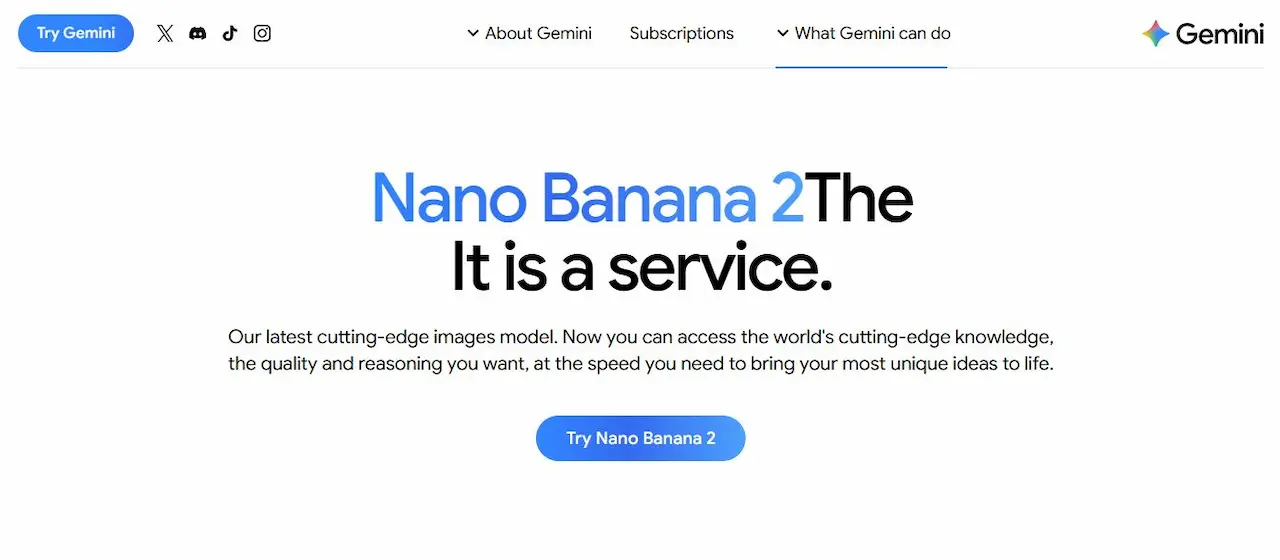
This is where Nano Banana Pro comes in. Nano Banana Pro is a powerful AI image generator that allows beginners and professionals alike to create realistic, high-quality images quickly and efficiently. Even if you’ve never designed a thumbnail or edited a photo before, Nano Banana Pro makes the process simple, fast, and effective.
What Is Nano Banana Pro?
Nano Banana Pro is an AI-powered image generator that can create or enhance images using intelligent algorithms. Unlike traditional tools that rely on manual design, this AI tool understands your instructions and produces visuals that look professional and consistent.
Some of the standout features include:
- High-quality image generation with realistic details
- Easy customization of text, style, and layout
- Fast output, generating professional visuals in minutes
- No design skills required, perfect for beginners
In short, Nano Banana Pro allows anyone to produce images that look like they were created by a professional designer.
How Nano Banana Pro Works
Using Nano Banana Pro is simple, even for beginners. Here’s a step-by-step guide:
Step 1: Upload or Input an Image
You can start by uploading an existing image or selecting a template. For example:
- Upload a product photo for an e-commerce store
- Use a stock image for a blog post
- Start with a blank canvas for social media graphics
Step 2: Customize the Design
Once the image is uploaded, you can provide instructions such as:
- Change text or font style
- Replace background or add effects
- Enhance colors and brightness
- Add elements like logos, icons, or props
The AI automatically adjusts the image to look natural and professional.
Step 3: Generate the Final Image
After providing instructions, Nano Banana Pro produces the final image in seconds, ready to use for your blog, social media, or presentation. The AI ensures that images remain consistent in style, which is especially useful for branding purposes.
Key Uses of Nano Banana Pro
Nano Banana Pro can be used in a variety of contexts:
YouTube Thumbnails
Thumbnails are the first thing viewers notice. Using Nano Banana Pro, you can create eye-catching thumbnails with clear text, attractive visuals, and consistent branding. This can boost click-through rates and increase audience engagement.Blog and Social Media Graphics
Bloggers and social media creators can generate high-quality graphics without hiring a designer. This saves both time and money while maintaining a professional look.Product Photos for E-Commerce
Small business owners and e-commerce sellers can use Nano Banana Pro to create product mockups, showcase clothes on models, or enhance product images for online listings.LinkedIn Profile Pictures and Logos
Professionals can use the AI to create clean, professional profile images or logos for personal branding, without needing expensive software.Presentation Graphics
Nano Banana Pro can generate visuals for PPTs, infographics, or reports. This adds a professional touch and improves audience engagement.
Why Nano Banana Pro Is Beginner-Friendly
One of the biggest advantages of Nano Banana Pro is that it doesn’t require any design experience:
- Intuitive interface: Beginners can navigate easily without tutorials
- AI assistance: Automatically generates professional-looking images
- Fast results: Save hours of manual design work
- Cost-effective: No need to buy expensive tools or hire a designer
Even if you’ve never touched Photoshop or Canva, Nano Banana Pro lets you create professional-quality visuals in minutes.
Tips for Using Nano Banana Pro Effectively
Be Clear with Instructions
The AI works best when you provide detailed prompts. For example:
- “Create a YouTube thumbnail for a digital marketing video with bright colors and bold text.”
- “Place this product on a professional model with a white background.”
Use Consistent Branding
Upload your logos, fonts, and brand colors to maintain a consistent look across images.Experiment with Templates
Nano Banana Pro offers templates for various purposes. Experimenting can save time and give you creative ideas.Combine with Other AI Tools
Pair Nano Banana Pro with Kimi or Gemini for presentations and n8n for automation to create content faster and more efficiently.
Real-Life Example
Let’s say you run a small clothing store online. Instead of paying a professional designer:
- Upload product photos to Nano Banana Pro
- Ask it to place clothes on models with a professional background
- Generate multiple images for Instagram, your website, and Pinterest
You now have consistent, professional visuals that help your products sell, without spending hundreds of dollars or hours designing.
6. AI Avatar Video Tool: HeyGen + ElevenLabs
In 2026, faceless AI videos are becoming a major trend. Many creators, educators, and businesses are now using AI-generated avatars to produce high-quality video content without ever appearing on camera. This opens up a world of possibilities for beginners, freelancers, and small businesses who want to create professional videos without expensive equipment or studio setups.
Two of the most powerful tools in this space are HeyGen and ElevenLabs. Together, they allow you to generate realistic AI avatars and human-like voiceovers, making video production faster, cheaper, and more scalable than ever before.
What Is HeyGen?
HeyGen is an AI avatar generator that can create lifelike digital characters. These avatars can speak, gesture, and present information in a natural, human-like manner.
Some key features include:
- Customizable avatars: Change appearance, clothing, and style
- Natural facial expressions: Make avatars engaging and relatable
- Multiple languages and accents: Reach a global audience easily
- Integration with scripts: Upload text scripts and watch the avatar deliver them naturally
HeyGen is ideal for anyone who wants to create videos quickly without filming themselves. This is especially useful for content creators who are camera-shy or want to maintain anonymity.
What Is ElevenLabs?
While HeyGen handles the visual avatar, ElevenLabs focuses on voice generation. It produces realistic, human-like voiceovers from your text.
Key features include:
- Multiple voice options: Choose tone, pitch, and style
- Highly natural speech: Sounds like a real human, including pauses and intonation
- Fast output: Generate long scripts in minutes
- Multilingual support: Perfect for reaching audiences worldwide
By combining HeyGen and ElevenLabs, you can create fully automated AI videos where the avatar speaks clearly, naturally, and professionally.
How to Create AI Avatar Videos
Here’s a simple workflow to start producing videos:
Step 1: Prepare Your Script
Write a concise script for your video. It can be:
- An explainer video about a product or service
- Training content for employees or students
- Marketing or social media videos
Step 2: Generate the Avatar
Using HeyGen, select your avatar’s appearance, gestures, and style. Upload your script or link it to the voiceover system.
Step 3: Generate the Voiceover
Input your script into ElevenLabs. Choose a voice that matches your avatar’s style and tone. The AI converts your text into realistic speech.
Step 4: Combine and Export
Link the voiceover with the HeyGen avatar. Preview the video, make adjustments if needed, and export. In minutes, you have a ready-to-publish professional video.
Practical Use Cases
Explainer Videos
Businesses and startups can use AI avatars to explain complex products or services. This makes videos more engaging and reduces the need for a live presenter.Training and Educational Content
Teachers, trainers, and online educators can produce lecture videos or tutorials. AI avatars deliver content consistently, ensuring students or employees receive clear instructions every time.Marketing and Social Media
Create engaging advertisements or promotional content for social media platforms. Avatars make videos visually appealing and increase viewer retention.YouTube Channels
Faceless YouTube channels are growing in popularity. Creators can use AI avatars to narrate stories, tutorials, or news content without appearing on camera.Freelance Services
Freelancers can offer AI video creation services to clients. Many companies are willing to pay for ready-to-use explainer videos, training materials, or social media content.
Advantages of HeyGen + ElevenLabs
- Time-efficient: Produce videos in minutes instead of hours of filming and editing
- Cost-effective: No need for cameras, microphones, studios, or actors
- Consistent quality: Avatars deliver the same message clearly every time
- Scalable: Produce multiple videos quickly for campaigns or courses
- Beginner-friendly: No technical skills or editing experience required
Tips for Best Results
Write Clear Scripts
AI generates better output when the text is structured and precise. Break scripts into smaller paragraphs for smooth speech.Choose Matching Avatars and Voices
Select an avatar style and voice tone that fits your audience. For example, a professional tone for corporate videos, a friendly tone for educational content.Preview and Adjust
Always preview your video. Make small adjustments to gestures, timing, and speech to improve clarity and engagement.Combine with Other AI Tools
You can pair HeyGen + ElevenLabs with Nano Banana Pro for visuals or Kimi/Gemini for presentation slides to create fully immersive multimedia content.
Real-Life Example
Imagine a small e-learning startup:
- They need training videos for new employees, but don’t have a budget for actors.
- Using HeyGen + ElevenLabs, they create avatars that present content professionally.
- Each training module is ready in minutes instead of days, and can be updated easily when policies change.
This not only saves time but also ensures consistent quality and professionalism.
7. AI Job & Research Assistant: Scout AI
In today’s fast-paced digital world, staying updated with the latest job openings, market trends, or research developments can be overwhelming. Manually scanning websites, LinkedIn, or job boards consumes hours every day. This is where Scout AI comes in—a powerful AI-powered assistant that acts as your personal AI intern, working 24/7 to fetch the information you need.
Scout AI is particularly useful for graduates, job seekers, researchers, and professionals who want to automate repetitive research tasks while saving time and staying ahead in their careers.
What Is Scout AI?
Scout AI is an intelligent monitoring and research assistant. Unlike traditional job boards, it doesn’t just list jobs; it actively scans multiple sources across the internet, filters results according to your instructions, and delivers them directly to you.
Think of it as having a dedicated intern who never sleeps and never misses an update. Whether you are tracking job openings, stock prices, or specific market trends, Scout AI handles it automatically.
How Scout AI Works
Using Scout AI is surprisingly simple. Here’s a step-by-step guide:
Set Up Your Agent
- Create an account with Scout AI.
- Configure one or more “agents” according to your research needs.
Provide Instructions
- Give clear instructions for what you want the AI to monitor.
- Example prompt:
“Find BE/BTech CS hiring opportunities for 2025–2026 graduates.”
Continuous Monitoring
- Once the agent is activated, it continuously scans the internet for relevant updates.
- Sources include company career pages, job boards, and even social media platforms like Telegram for job alerts.
Receive Daily Updates
- Scout AI compiles results and sends them to your email at a specified time, e.g., every morning at 9 AM.
- Example companies tracked include TCS, HCL, Cognizant, Oracle, and Swiggy.
Advanced Tracking Options
- Scout can also monitor stock prices, gold prices, or any topic of your choice.
- One free agent is enough for individual tracking, but you can purchase additional agents for multiple streams.
Key Benefits of Using Scout AI
Time-Saving
Instead of manually checking ten different websites or apps every day, Scout AI gathers all relevant information automatically. You can focus on preparing for interviews or analyzing trends rather than spending hours researching.Always Up-to-Date
Scout AI works around the clock, so you never miss a new opportunity. For graduates, this means you can be among the first to apply for highly competitive positions.Highly Customizable
You can define exactly what the AI tracks. Whether it’s a specific role, company, location, or sector, Scout tailors its updates to your needs.Versatile Use Cases
Beyond job hunting, Scout AI can monitor:
- Stock prices and market updates
- Research publications or trending studies
- Any online content relevant to your industry
Beginner-Friendly
You don’t need technical expertise to use Scout AI. The interface is intuitive, and even students or fresh graduates can set up agents in minutes.
Practical Use Cases
Job Seekers and Graduates
- Automatically receive job alerts for your degree, location, or sector.
- Example: BE/BTech CS students graduating in 2025–2026 can get daily updates from top IT companies.
Researchers and Academics
- Stay updated with new publications, journals, or online resources relevant to your field.
- Scout AI compiles them in one convenient email.
Freelancers and Business Owners
- Monitor competitors, market trends, or pricing updates.
- Example: Track freelance opportunities in content creation or AI services.
Investors
- Track stock prices, commodity trends, or market alerts automatically.
- Receive timely updates without refreshing multiple financial platforms.
How Scout AI Can Help You Make Money
Scout AI isn’t just a productivity tool; it can also create income opportunities:
Early Job Applications
Be the first to apply for high-paying roles by receiving alerts before others.Freelance Research Services
Offer curated research reports to businesses or clients using Scout AI to gather data.Market Alerts for Trading
Investors can use Scout’s stock and commodity monitoring to make informed decisions.Content and Trend Analysis
Freelancers can track trending topics or emerging industries and create content that meets demand.
By automating research tasks, Scout AI frees up your time to focus on skill development, creative work, or money-making activities.
Tips for Using Scout AI Effectively
Define Specific Instructions
The clearer your prompt, the better the results. Avoid vague instructions.Schedule Updates
Set a fixed time for receiving daily updates. This creates a routine and ensures you never miss anything.Combine with Other AI Tools
Use Scout AI alongside Antigravity for websites, Kimi/Gemini for presentations, or Whisper Flow for voice-to-text. This combination builds a complete AI workflow for productivity and earning.Test and Optimize Agents
Start with one agent, see the results, then tweak instructions to improve relevance and accuracy.
How These AI Tools Can Help You Make Money
Using these 7 tools, beginners can:
- Build websites for clients
- Offer presentation design services
- Automate social media content
- Create professional visuals and AI videos
- Freelance as an AI content creator
With free tools, you can start small, learn fast, and gradually expand your services.
Final Thoughts
The 7 free AI tools—Antigravity AI, Kimi AI, Gemini Canvas, Whisper Flow, n8n, Nano Banana Pro, HeyGen + ElevenLabs, and Scout AI—are beginner-friendly, time-saving, and capable of boosting productivity.
These tools allow you to focus on creativity and ideas instead of manual work, while opening opportunities to earn money online. Start experimenting today and make AI work for you!