2 Free AI PPT Generator Tools That Save Hours of Presentation Work
Creating presentations has always been a time-consuming task. Whether you are a student, a professional, or a business owner, preparing a PowerPoint presentation often requires hours of work. You have to research the topic, write content, design slides, choose colors, add images, and organize everything in a logical flow.
For many people, this process can feel overwhelming.
The surprising truth is that most people are still doing presentations the old way. They spend hours designing slides manually when modern technology has already solved this problem.
Today, AI PPT Generator tools can create professional presentations in just a few minutes.
Instead of designing every slide manually, you can simply provide a topic or upload a document, and the AI tool will automatically generate well-structured slides with proper formatting and visuals.
In this guide, we will explore two powerful and free AI tools that are changing how presentations are created:
Both tools allow you to generate high-quality presentations quickly, even if you have zero design skills.
If you are a blogger, student, freelancer, or content creator, learning these tools can save you a huge amount of time and help you work more efficiently.
Also Read: GeminiGen AI Review 2026: Why Most AI Video Creators Fail Today!
The Problem with Traditional PowerPoint Creation
Before understanding AI presentation tools, it is important to understand why traditional presentation creation is so slow.
Time-Consuming Research
The first challenge is collecting information. Most presentations require research from multiple sources. This can take a lot of time, especially if the topic is complex.
You might spend hours reading articles, watching videos, and organizing notes before even starting your slides.
Designing Slides Manually
The second challenge is design.
Not everyone is a graphic designer. Choosing the right:
- colors
- fonts
- layout
- images
can be confusing and frustrating.
Even after creating slides, the presentation may still look unprofessional.
Formatting Problems
Another common issue is formatting. Aligning text, images, and charts correctly often takes time.
Sometimes a presentation looks perfect on your computer but appears broken when opened on another device.
Because of these challenges, many people feel stressed when they need to create presentations.
This is exactly where AI tools can make a huge difference.
What Is an AI PPT Generator?
An AI PPT Generator is a tool that uses artificial intelligence to automatically create presentation slides.
Instead of manually writing and designing each slide, the AI analyzes your input and generates a complete presentation structure.
These tools typically work in three simple steps.
Step 1: Provide Input
You can give the AI tool:
- a topic
- a document
- a PDF
- a paragraph of text
Step 2: AI Processes the Content
The AI reads and understands the content, then organizes it into logical sections.
Step 3: Slides Are Generated
Within seconds, the tool creates slides with:
- titles
- bullet points
- structured content
- visual formatting
This process can reduce hours of work to just a few minutes.
Tool 1: Kimi AI – A Powerful Free AI PPT Generator
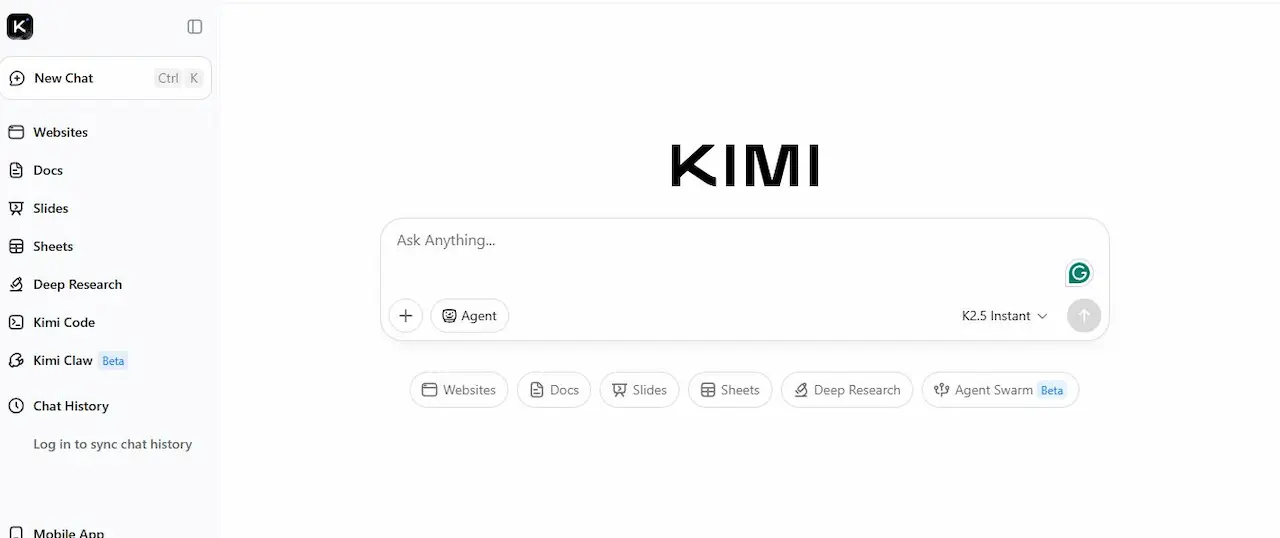
When people hear about AI PPT Generator tools, many assume they are complicated or require technical knowledge. However, tools like Kimi AI are designed to make presentation creation simple and fast, even for beginners.
Kimi AI is a modern AI assistant that can read long documents, understand the content, and convert it into a structured presentation within minutes. Instead of spending hours writing slide titles, bullet points, and explanations manually, you can let the AI organize the information for you.
This tool is especially useful for:
- Students preparing class presentations
- Bloggers turning articles into slides
- Freelancers creating client presentations
- Business professionals preparing reports
What makes Kimi AI stand out is its ability to analyze large documents and extract the most important points automatically. The AI then organizes those points into slides that follow a logical flow, similar to how a human would design a presentation.
In simple terms, Kimi AI works like a smart presentation assistant that reads your content and prepares slides for you.
How Kimi AI Works
Using Kimi AI to create presentations is very straightforward. The process usually involves three simple steps. Even if you have never used an AI tool before, you can follow this process easily.
Step 1: Upload a Document
The first step is providing content that the AI will convert into slides.
You can upload different types of content such as:
- PDF files
- Research documents
- Blog articles
- Notes or reports
- Long text explanations
For example, imagine you have a 10-page research document about digital marketing. Normally, you would need to read the entire document and manually create slides from it.
With Kimi AI, you simply upload the file. The AI scans the document and understands the key topics discussed inside it.
This step is extremely useful because many people already have their content ready in the form of documents or notes. Instead of rewriting everything, the AI directly converts the existing material into presentation format.
Another advantage of uploading documents is that the AI can identify:
- headings
- important paragraphs
- key statistics
- explanations
It uses this information to build slides that summarize the document effectively.
This means the presentation becomes more structured and easier for the audience to understand.
Step 2: Give a Simple Prompt
After uploading the document, the next step is giving the AI a simple instruction, often called a prompt.
A prompt is basically a short message telling the AI what you want it to do.
For example:
“Convert this document into an engaging presentation.”
But you can also give more detailed prompts to improve the results.
Example prompts:
- “Create a professional presentation based on this report.”
- “Turn this article into a 10-slide presentation.”
- “Summarize this document and create presentation slides for beginners.”
The clearer your instruction is, the better the output will be.
For instance, if your document is about social media marketing, you could write a prompt like this:
“Create a presentation explaining the basics of social media marketing for beginners.”
This helps the AI understand your audience and adjust the slides accordingly.
Good prompts usually include:
- the purpose of the presentation
- the target audience
- the number of slides (optional)
- the style of presentation
The AI analyzes the prompt along with the uploaded document and prepares slides that match your request.
Step 3: AI Creates the Slides
Once the document and prompt are provided, Kimi AI begins processing the information.
Within seconds, it generates a structured presentation.
Most AI-generated presentations follow a logical structure that looks something like this:
Introduction
The first slide introduces the topic. This slide gives the audience an idea about what the presentation will cover.
For example:
“Introduction to Digital Marketing Strategies”
This helps set the context before moving into detailed points.
Main Points
The next slides usually cover the main topics of the document.
If your document includes multiple sections, the AI converts each section into a slide.
For example:
- What is digital marketing
- Types of digital marketing
- Benefits of digital marketing
- Common strategies used by businesses
This approach ensures that the presentation remains organized and easy to follow.
Explanations
After introducing the main points, the AI often includes short explanations or bullet points.
These explanations help the presenter communicate ideas clearly without overwhelming the slides with too much text.
For example:
Instead of writing long paragraphs, the AI converts them into short bullet points such as:
- Social media marketing helps brands reach wider audiences
- Content marketing builds long-term customer trust
- Email marketing is useful for direct communication with customers
This style makes presentations more engaging for audiences.
Key Benefits of Kimi AI
Now that we understand how the tool works, it is important to look at the practical benefits it provides.
Many users choose Kimi AI because it solves common problems people face when creating presentations.
Fast Slide Generation
One of the biggest advantages of Kimi AI is speed.
Creating a presentation manually usually involves several steps:
- researching the topic
- writing slide titles
- organizing information
- formatting slides
- reviewing the content
This process can easily take one or two hours, especially if the topic is complex.
Kimi AI reduces this time dramatically.
Since the AI can read and analyze documents quickly, it can generate slides in just a few minutes. This allows users to focus more on improving the content rather than spending time on formatting.
For professionals who frequently create presentations, this time-saving benefit can be extremely valuable.
Organized Content
Another major benefit of Kimi AI is its ability to organize information logically.
When people manually create slides, they sometimes struggle with structure. They might place topics in the wrong order or include too much information on one slide.
Kimi AI helps solve this problem by automatically arranging content into a logical sequence.
For example:
Introduction
Topic explanation
Supporting points
Examples or data
Summary
This structure ensures that the presentation flows naturally from one idea to the next.
A well-structured presentation is easier for audiences to understand and remember.
Beginner Friendly
Many people avoid creating presentations because they feel they lack design or presentation skills.
Kimi AI makes the process much easier for beginners.
Even someone who has never used PowerPoint before can create a presentation using this tool.
The AI handles most of the difficult tasks such as:
- summarizing information
- organizing slide content
- creating titles and bullet points
All the user needs to do is review the slides and make small adjustments if necessary.
This makes Kimi AI an excellent tool for students and new professionals who want to improve their presentation workflow.
Free Access
Another reason Kimi AI is gaining popularity is its accessibility.
Many advanced AI tools require expensive subscriptions. However, Kimi AI allows users to access basic features for free.
This is especially helpful for:
- students who cannot afford premium tools
- bloggers experimenting with AI technology
- freelancers starting their careers
The free version usually allows users to test the core functionality of the tool before deciding whether they want additional features.
Because of this, many beginners prefer starting with Kimi AI before exploring other AI presentation platforms.
Why Bloggers and Content Creators Should Try Kimi AI
For bloggers and digital creators, presentation tools can be surprisingly useful.
Instead of keeping content limited to written articles, bloggers can transform their blog posts into presentations using Kimi AI.
These presentations can then be used for:
- educational videos
- webinars
- social media slides
- online courses
Repurposing content in this way allows creators to reach a wider audience and make better use of the material they have already written.
Tool 2: Gemini AI Canvas – Google’s Smart Presentation Assistant
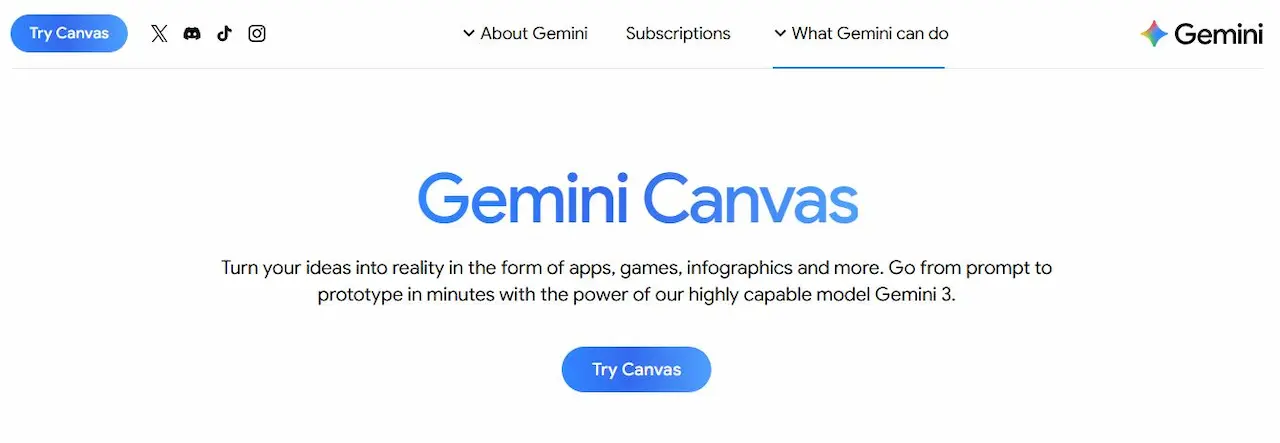
Another powerful AI PPT Generator that many people are starting to use is Google Gemini with its feature called Gemini Canvas. This tool is part of the broader AI ecosystem developed by Google, and it provides users with a smart workspace where they can write, organize, and transform content into different formats.
Unlike traditional presentation tools where you have to design every slide manually, Gemini Canvas works like an intelligent assistant. You simply provide your content or topic, and the AI helps convert that information into a structured presentation.
For students, bloggers, teachers, and professionals, this tool can significantly reduce the time required to prepare slides. Instead of focusing on formatting and layout, users can focus more on the ideas they want to present.
Another advantage of Gemini Canvas is that it works within a simple interface that feels similar to writing in a document editor. This makes it easy for beginners to learn and use without needing advanced technical knowledge.
What Is Gemini Canvas?
Gemini Canvas is an interactive AI workspace where users can write, edit, and transform content using artificial intelligence.
Think of it as a smart writing board where you can place your ideas, notes, or documents and then ask the AI to reorganize them into different formats.
For example, the same content can be transformed into:
- blog summaries
- reports
- structured notes
- presentation slides
One of the most useful features of Gemini Canvas is its ability to convert text into presentation slides automatically. Instead of creating slides one by one, the AI analyzes your content and organizes it into a logical presentation structure.
For instance, if you paste a long article into the canvas, the AI can identify key sections such as the introduction, main ideas, and conclusions. It then converts these sections into slides with titles and bullet points.
This ability to understand and reorganize information makes Gemini Canvas a valuable tool for anyone who regularly works with written content.
How to Create Presentations with Gemini
Using Gemini Canvas to generate presentations is surprisingly simple. Even if you are new to AI tools, you can follow a few basic steps to create slides quickly.
Open Gemini Canvas
The first step is accessing the Gemini Canvas workspace.
After opening Google Gemini, you will find a section where you can create or edit content. This is the canvas area where you can interact with the AI.
The interface usually looks like a large writing area where you can type text, paste content, or upload information.
This environment works like a collaborative workspace where the AI helps you organize and improve your content.
Insert Your Text or Document
Once you are inside the canvas workspace, the next step is adding the content you want to convert into slides.
You can paste different types of content such as:
- blog articles
- research reports
- study notes
- meeting summaries
- educational content
For example, if you have written a 1500-word blog post about social media marketing, you can simply paste the entire article into the canvas.
Gemini AI will read the content and analyze its structure. It looks for headings, paragraphs, and key ideas that can be turned into slide points.
This process eliminates the need to manually summarize long documents.
Use a Prompt
After inserting your content, the next step is giving the AI a prompt.
A prompt is simply a short instruction telling the AI what you want it to do.
For example, you could write:
“Turn this content into a professional presentation.”
However, giving more detailed prompts usually produces better results.
Examples of improved prompts include:
- “Create a 10-slide presentation explaining this topic for beginners.”
- “Turn this article into a professional business presentation.”
- “Summarize this report and create presentation slides with bullet points.”
By providing clear instructions, you help the AI understand how the final presentation should look.
This step is important because the AI adjusts the tone and structure based on the prompt you provide.
AI Generates Slides
After receiving the prompt, Gemini AI begins processing the content.
Within a few moments, it organizes the information into presentation sections.
The AI usually divides the content into several slides such as:
- introduction slide
- topic explanation slides
- supporting points
- examples or statistics
- conclusion slide
Each slide includes a clear title and concise bullet points that summarize the main ideas.
Because the slides are based on the content you provided, the presentation remains accurate while becoming easier to present.
Once the slides are generated, you can review them and make adjustments if needed. Many users add images, charts, or additional explanations to make the presentation more engaging.
Why AI Presentation Tools Are Becoming Popular
AI presentation tools have become increasingly popular in recent years. One major reason is that they solve problems that many people face when preparing presentations.
Creating slides manually often takes a lot of time and effort. AI tools simplify this process by automating many of the tasks involved.
Here are some of the main reasons why more people are starting to use these tools.
Increased Productivity
One of the biggest advantages of AI presentation tools is improved productivity.
Traditional presentation creation involves several time-consuming steps such as:
- researching information
- organizing ideas
- writing slide content
- formatting slides
With AI tools, much of this work can be done automatically.
Users can generate a presentation in minutes instead of hours. This allows them to spend more time focusing on the actual message they want to communicate.
For professionals who frequently give presentations, this time-saving benefit can significantly improve workflow efficiency.
Better Presentation Structure
Another reason these tools are becoming popular is their ability to organize information effectively.
When people create presentations manually, they sometimes struggle with arranging topics in the correct order.
AI tools solve this problem by analyzing the content and organizing it into logical sections.
For example, the AI might structure a presentation like this:
Introduction to the topic
Explanation of key concepts
Supporting examples
Important statistics
Final summary
This logical flow helps audiences understand the topic more easily.
Accessibility for Beginners
Many people feel uncomfortable creating presentations because they lack design or presentation skills.
AI tools make this process much easier.
Beginners no longer need advanced knowledge of presentation design. The AI automatically creates titles, bullet points, and slide structures.
Users only need to review the generated slides and make small improvements if necessary.
Because of this, AI presentation tools have made professional-looking presentations accessible to a wider audience.
Practical Use Cases of AI PPT Generators
AI PPT generators are useful in many different situations. These tools are not limited to students or educators; professionals in various industries can benefit from them as well.
Students
Students often need to prepare presentations for class projects or assignments.
Instead of spending hours summarizing research materials, they can upload their notes and let the AI create slides automatically.
This makes studying and preparing presentations much more efficient.
Teachers
Teachers frequently create lecture slides for their classes.
AI tools allow them to convert lesson notes into structured presentations quickly.
This saves time and allows teachers to focus more on explaining concepts to students.
Freelancers
Freelancers working in fields like digital marketing, consulting, or content creation often need to prepare presentations for clients.
AI PPT generators can help them produce professional slides quickly, which improves productivity and client satisfaction.
Some freelancers even offer presentation creation services using AI tools.
Business Owners
Business professionals can use AI tools to create presentations such as:
- business reports
- marketing strategies
- investor pitch decks
- training materials
Instead of spending hours designing slides, they can generate presentations quickly and focus on decision-making and strategy.
Tips for Creating Better AI Presentations
Even though AI tools can generate presentations automatically, there are a few best practices that can improve the final results.
Write Clear Prompts
The quality of AI output depends heavily on the instructions you give.
Clear and detailed prompts usually produce better slides.
For example:
“Create a professional presentation about digital marketing trends for beginners.”
This instruction helps the AI understand the purpose and audience of the presentation.
Provide Structured Content
Uploading well-organized documents helps the AI produce better presentations.
If your document includes headings, sections, and clear paragraphs, the AI can convert them into slides more accurately.
Structured content leads to more organized presentations.
Edit the Final Slides
AI tools generate draft presentations, but they may still need minor adjustments.
After the slides are generated, you should:
- review the content
- simplify complex points
- add visuals if necessary
This ensures that the final presentation looks professional and communicates ideas clearly.
Can AI PPT Generators Help Bloggers?
Bloggers can also benefit from AI presentation tools.
Instead of limiting their content to written articles, bloggers can convert their posts into visual presentations.
For example, a blog article can be transformed into:
- presentation slides for webinars
- educational social media posts
- visual summaries for YouTube videos
Repurposing blog content in this way allows creators to reach audiences on multiple platforms.
This strategy can also help bloggers expand their content marketing efforts.
Are Free AI Tools Good Enough?
Many people wonder whether free AI tools provide sufficient quality.
The good news is that most free AI tools already offer powerful features.
For example, free versions can often:
- generate presentation slides
- summarize documents
- organize content into sections
Premium versions usually include additional features such as:
- advanced design templates
- better export options
- collaboration tools for teams
However, beginners rarely need these advanced features immediately.
For most users who are just starting with AI presentation tools, free versions are more than enough to create professional slides and improve productivity.
Final Thoughts
Artificial intelligence is transforming how we work and create content.
Presentation creation is one area where AI tools can save a huge amount of time and effort.
Instead of spending hours designing slides manually, tools like Kimi AI and Gemini Canvas allow users to generate presentations quickly and efficiently.
For students, professionals, and bloggers, learning these tools can significantly improve productivity.
The most important thing is to experiment with these tools and find creative ways to use them in your workflow.
As AI technology continues to evolve, presentation creation will likely become even faster and more intuitive.
If you have never tried an AI PPT Generator before, now is the perfect time to explore these tools and experience how much easier presentation creation can become.